

![[+] View Larger Image](https://www.buffalotech.com/images/product_images/901/drivestation_axis_velocity_angle.jpg)
![[+] View Larger Image](https://www.buffalotech.com/images/product_images/901/drivestation_axis_velocity_front.jpg)
![[+] View Larger Image](https://www.buffalotech.com/images/product_images/901/drivestation_axis_velocity_back.jpg)
![[+] View Larger Image](https://www.buffalotech.com/images/product_images/901/drivestation_axis_velocity_side.jpg)
DriveStation™ Axis Velocity


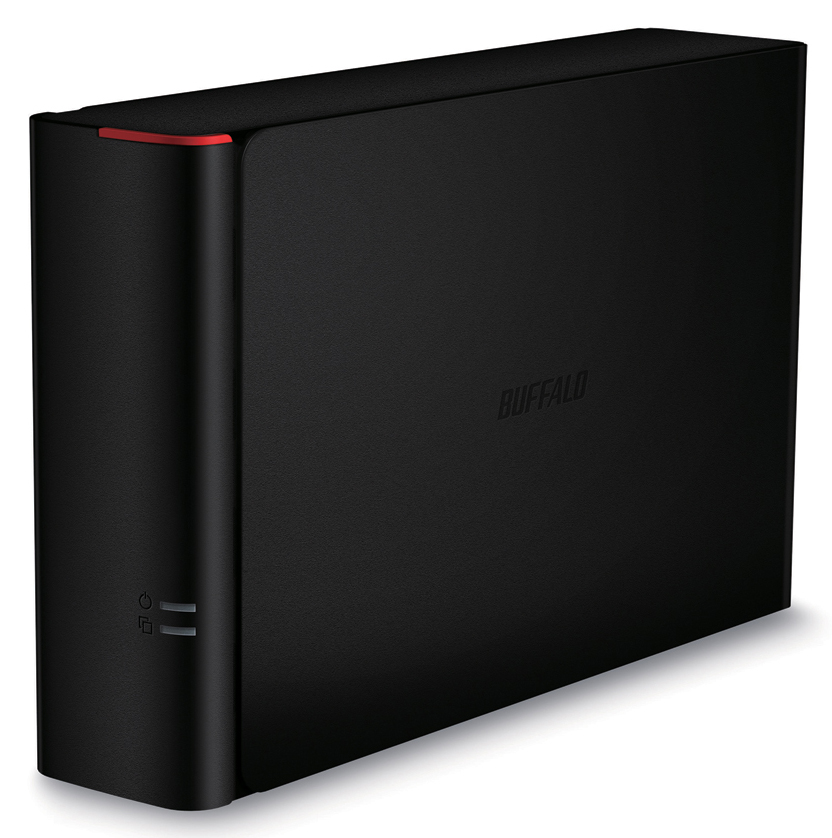
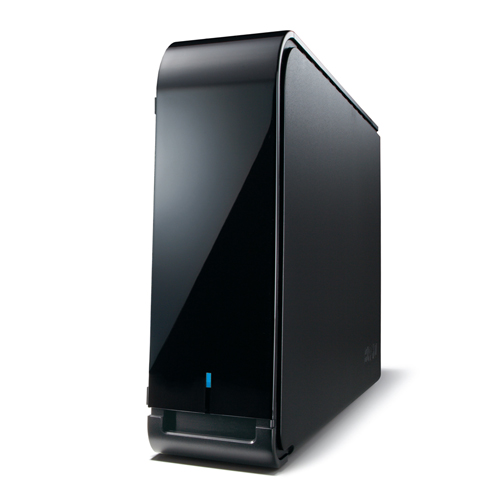
DriveStation Axis Velocity is an easy to use, high speed 1-drive USB 3.0 solution designed for simple and secure storage and backup. Equipped with a high speed 7200 RPM hard drive and USB 3.0 support, DriveStation Axis Velocity boasts extremely fast file transfers and is backward compatible with USB 2.0 for use with nearly any PC or Mac®.
Click to check price Click to contact sales DataSheet HD-LXU3
Overview
The DriveStation Axis Velocity provides reliable storage for your Mac or PC. With a high speed hard drive, it boasts extremely fast file transfer speeds. Optional 256-bit AES hardware encryption offers excellent data protection and its unique design allows for easy placement just about anywhere. Instantly expand storage or schedule automatic backups with universal plug and play connectivity.
Highlights
- 7200 RPM hard drive for extremely fast file transfers
- Optional 256-bit AES hardware encryption provides an extra level of data protection
- USB 3.0 offers universal connectivity for PC and Mac computers
- Schedule automatic backups for your PC with Buffalo Backup Utility
- Time Machine® support offers scheduled backups for protecting Mac computers
- Sleek chassis can be positioned vertically or horizontally for efficient use of space
- Standard 2-Year Warranty Included
 FAST 7200 RPM HARD DRIVE
Equipped with a high speed 7200 RPM hard drive and USB 3.0 support, DriveStation Axis Velocity boasts extremely fast file transfers and is backward compatible with USB 2.0 for use with nearly any PC or Mac.
 HARDWARE ENCRYPTION
Optional 256-bit AES Full Disk Encryption (FDE) protects your data from unauthorized access. Simply assign a password to the hard drive at setup and your data is shielded from wandering eyes.
 FLEXIBLE POSITIONING
DriveStation Axis Velocity features a sleek, attractive chassis that can be positioned vertically or horizontally, adapting to the location it is used in for efficient use of space. Stand it upright on your home office desktop or lay it flat below your TV as part of your media center. It's fan-less design offers quiet operation for easy placement just about anywhere.
 EASY TO USE STORAGE
With terabytes of storage, DriveStation Axis Velocity provides a reliable, easy to use storage solution to quickly expand the capacity of your PC and Mac computers with universal USB 3.0 plug-and-play.
 EASY SCHEDULED BACKUP
DriveStation Axis Velocity is perfect for backing up your important files. Disaster and hard drive failures can occur unexpectedly; don't leave your important files and treasured memories in the hands of chance. Schedule regular backups for your PC with Buffalo Backup Utility or use Time Machine for your Mac. Protect all of your data, down to the last byte.
 BUFFALO TOOLS
Buffalo Tools is a feature-rich suite of optional software included on the Buffalo DriveStation Axis Velocity. Any or all of the following components of Buffalo Tools may be installed on Windows® PCs.
- Buffalo's Backup Utility is a featured backup software for Windows PCs and can be used to back up one or multiple computers with a single Buffalo external hard drive.
- eco Manager is an energy efficiency tool used to conserve energy and reduce battery consumption by regulating the power usage of the hard drive, cutting power to the drive during extended periods of inactivity.
- TurboPC includes two components to enhance file transfer performance with external hard drives. It also includes TurboCopy which provides additional system adjustments to increase performance substantially.
- SecureLock software for Windows® provides complete control of the data encryption on your Buffalo external hard drive, providing password protection and software data encryption.
Specifications
Internal Hard Drives
| Number of drives | 1 |
| Drive interface | SATA 3 Gbps |
| Hard drive sizes | HD-LX1.0TU3 (1TB) HD-LX2.0TU3 (2TB) HD-LX3.0TU3 (3TB) HD-LX4.0TU3 (4TB) HD-LX8.0TU3 (8TB) |
USB Interface
| Standards compliance | USB 3.0 / USB 2.0 |
| Data transfer rates |
5 Gbps* (USB 3.0) |
| Connector type | Type-A |
| Number of ports | 1 |
* 480 Mbps and 5 Gbps are the maximum transfer rates derived from the specifications of the Universal Serial Bus 2.0 and 3.0. Actual transfer rates will vary depending upon environmental factors. Data rates, features and performance may vary based on the configuration of your system and other factors.
Other
| Dimensions (L x W x H) | 7.44 x 1.52 x 4.83 in |
| Weight | 2.09 lbs |
| Power consumption | Max 18W |
| Power supply | AC 100-240V, 50/60 Hz |
| Operating Temperature | 41˚ - 95˚F (5˚ - 35˚C) |
| Operating Humidity | 20 - 80% non-condensing |
| Client OS support |
Windows® 11 |
| Box Contents |
DriveStation Axis Velocity |
* The HDD default format is NTFS; to work with Mac, reformat the HDD using Mac Disk Utility. Only basic external hard drive functionality is supported with this operating system; some included utilities may not work.
Resources
|
Comparison Chart |
Downloads
Documentation
| File Size | Post Date | Version | OS Support | Notes | ||
 |
Download | 2016-04-25 | 35012152-1 | HDLXU3 Quick Start Guide | ||
|
Download | 2016-05-05 | User's Manual for DriverStation Axis Velocity HD-LXU3 | |||
|
Download | 2016-04-25 | .01 | User's Manual for External USB HDD | ||
|
Download | 2016-04-25 | 35011921-3 | HD-LXU3 Format Guide | ||
|
Download | 2016-04-25 | 35010950-5 | SecureLockModile User's Manual | ||
|
Download | 2016-04-25 | 35011277-4 | HD-LXU3 RamDisk Utility Guide | ||
|
Download | 1.09 MB | 2016-04-25 | 1.02 | Windows | Readme for Disk Formatter2 |
|
Download | 2016-04-25 | 35011275-4 | HD-LXU3 Backup Utility Manual | ||
|
Download | 2016-04-25 | 35010960-6 | HD-LXU3 EcoManager Guide | ||
|
Download | 2016-04-25 | 35012239-1 | HD-LXU3 Turbo PC EX Guide | ||
|
Download | 2016-04-25 | 1.20 | Readme for CD image | ||
|
Download | 2019-01-23 | 1.34 | Windows | Readme for DriveNavigator for HD-LXU3 |
Utilities
| File Size | Post Date | Version | OS Support | Notes | ||
|
Serial Number Lookup | 2019-01-23 | 1.34 | CD image for HD-LXU3 | ||
|
Serial Number Lookup | 2019-01-23 | 1.23 | Windows | SecureLock Manager Easy | |
|
Serial Number Lookup | 4.56 MB | 2016-04-25 | 3.25 | Windows | RAMDisk Utility |
|
Serial Number Lookup | 383.27 KB | 2016-04-25 | 1.20 | Windows | Disk Formatter2 Utility |
|
Serial Number Lookup | 4.09 MB | 2016-04-25 | 1.17 | Windows | Backup Utility |
|
Download | 2016-05-05 | 1.43 | Windows | Eco Manager for DriveStation Axis Velocity HD-LXU3 | |
|
Serial Number Lookup | 12.15 MB | 2016-04-25 | 1.35 | Windows | TurboPC EX |
|
Serial Number Lookup | 312.39 KB | 2016-04-25 | 1.07 | Windows | Buffalo Tools Launcher |
Variations
You May Also Like
DriveStation™ Duo